[JIM.shared setServerUrls:@[@"wss://ws.im.com"]];
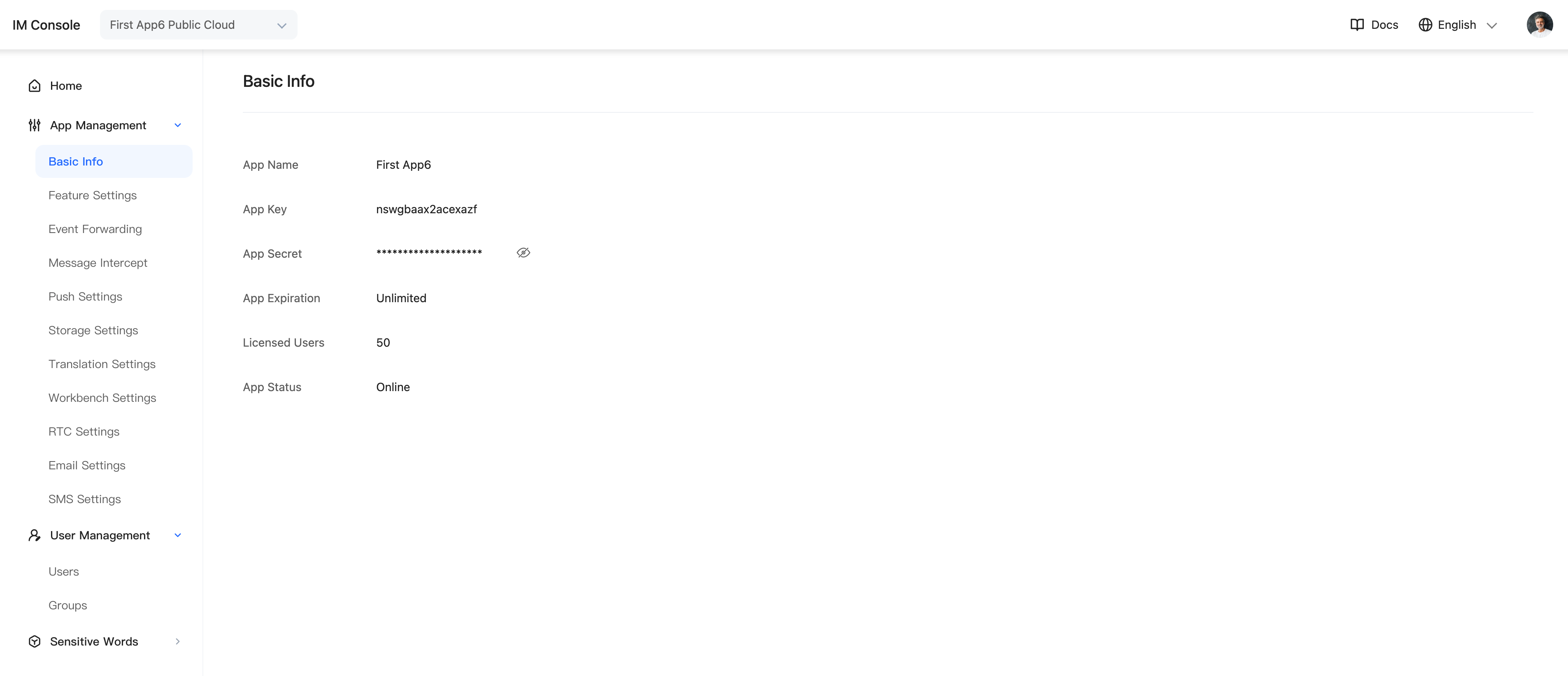
[JIM.shared initWithAppKey:@"appkey"];
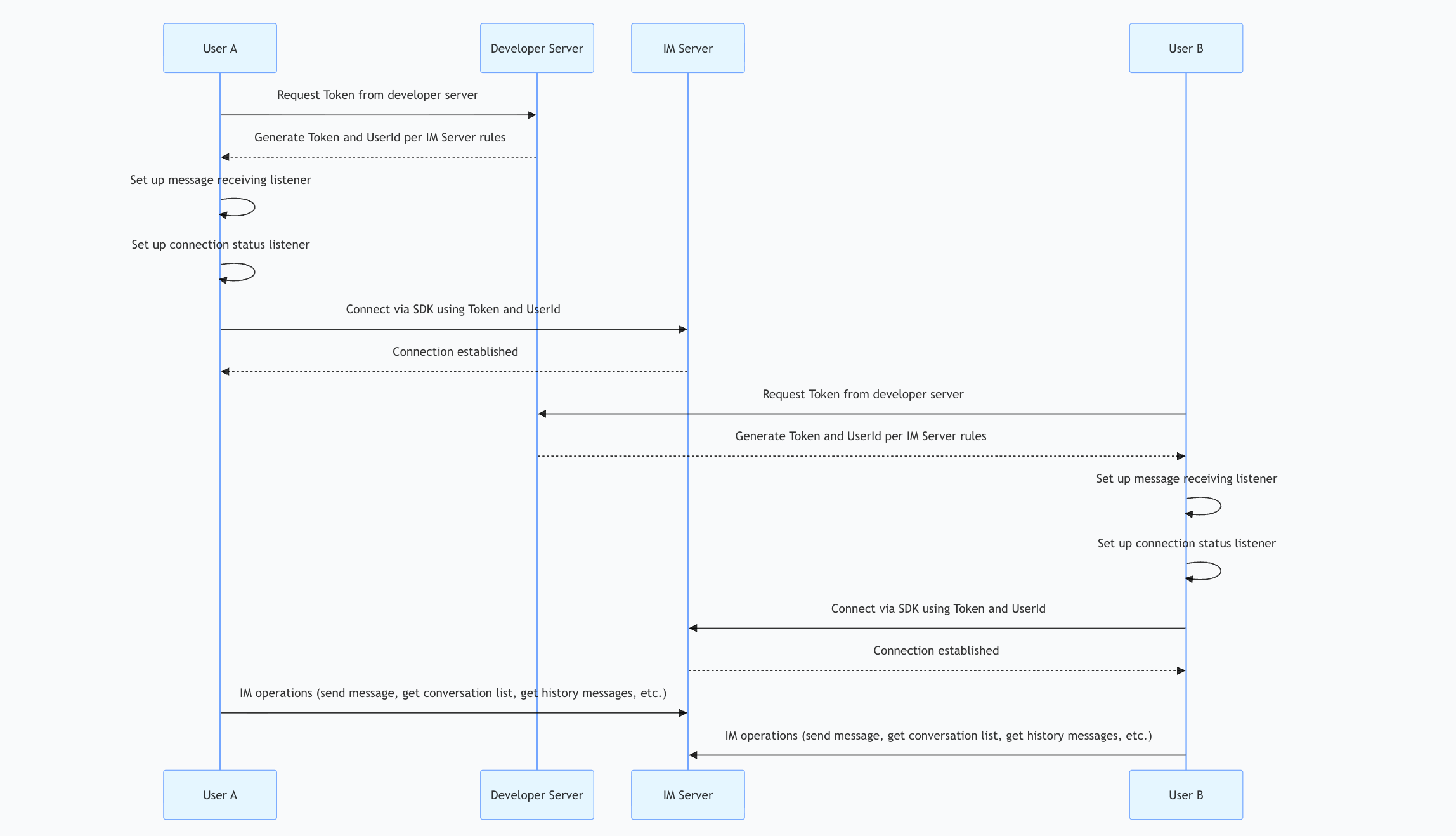
[JIM.shared.connectionManager connectWithToken:@"token1"];
[JIM.shared.connectionManager addDelegate:self];
- (void)connectionStatusDidChange:(JConnectionStatus)status errorCode:(JErrorCode)code extra:(NSString *)extra {
if (JConnectionStatusConnected == status) {
JConversation *conversation = [[JConversation alloc] initWithConversationType:JConversationTypePrivate conversationId:@"userid2"];
JTextMessage *text = [[JTextMessage alloc] initWithContent:@"test text message"];
JMessage *m = [JIM.shared.messageManager sendMessage:text
inConversation:conversation
success:^(JMessage *message) {
NSLog(@"sendMessage success");
} error:^(JErrorCode errorCode, JMessage *message) {
NSLog(@"sendMessage error");
}];
NSLog(@"after send, m.clientMsgNo is %lld", m.clientMsgNo);
}
}